
Can a Budget CNC Router Make Wood Furniture?
Yes, a budget CNC router for wood furniture can make useful parts if its work area fits your material and it can hold each piece securely. A 3-axis machine can cut cabinet panels, shelves, drawer parts, and some solid-wood joints. For steady production, look beyond the purchase price: a rigid machine, reliable dust collection, and suitable workholding matter as much as the spindle. If you make many parts with several cuts and bits, a vacuum table and automatic tool changer may be worth the added cost.
I'm Jared Gray. I've spent more than 12 years buying, selling, and brokering CNC machinery, and I'll use that experience to help you weigh a CNC router for wood furniture against the work you need it to do.
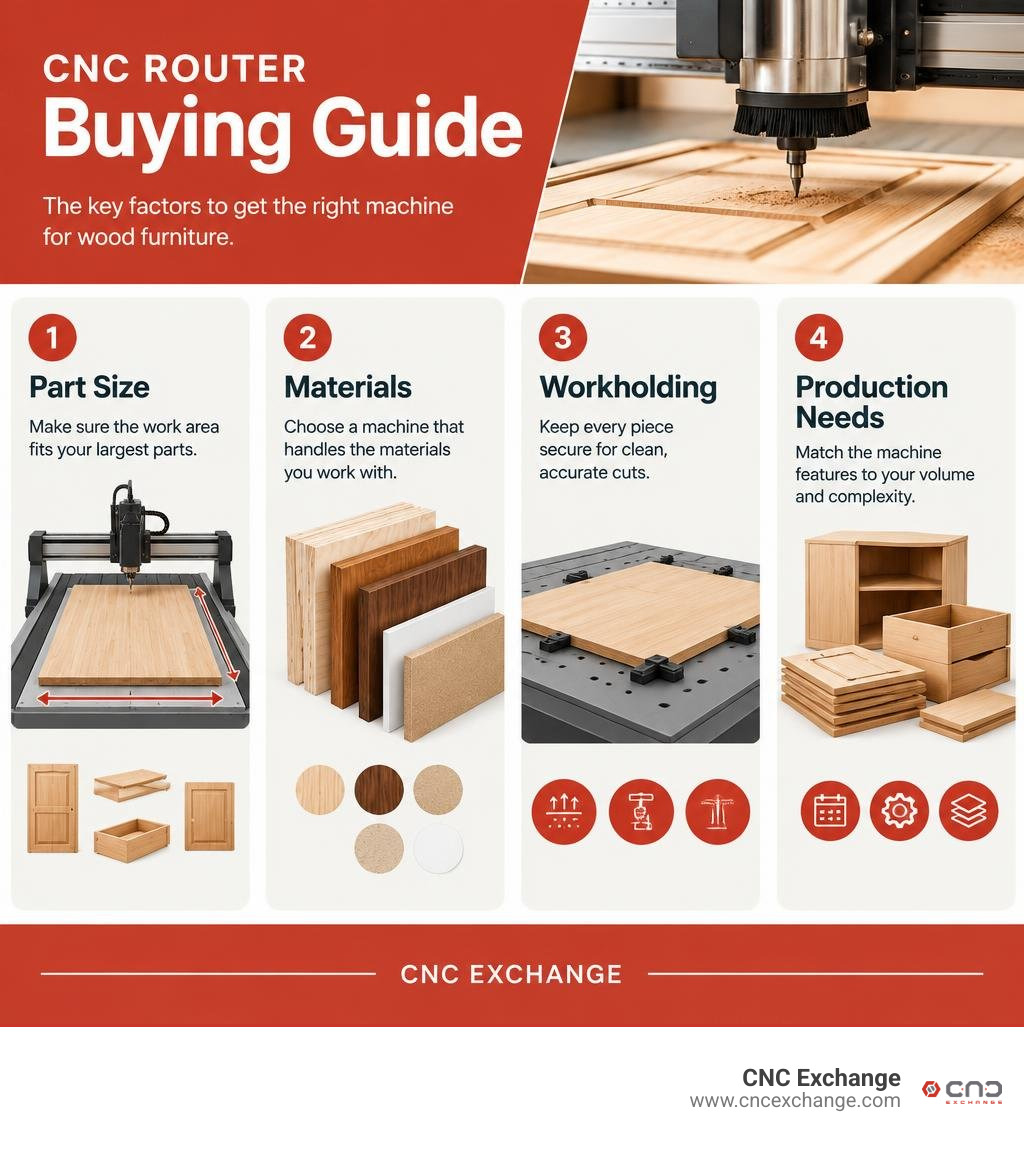
How a CNC router for wood furniture works—and what it can make
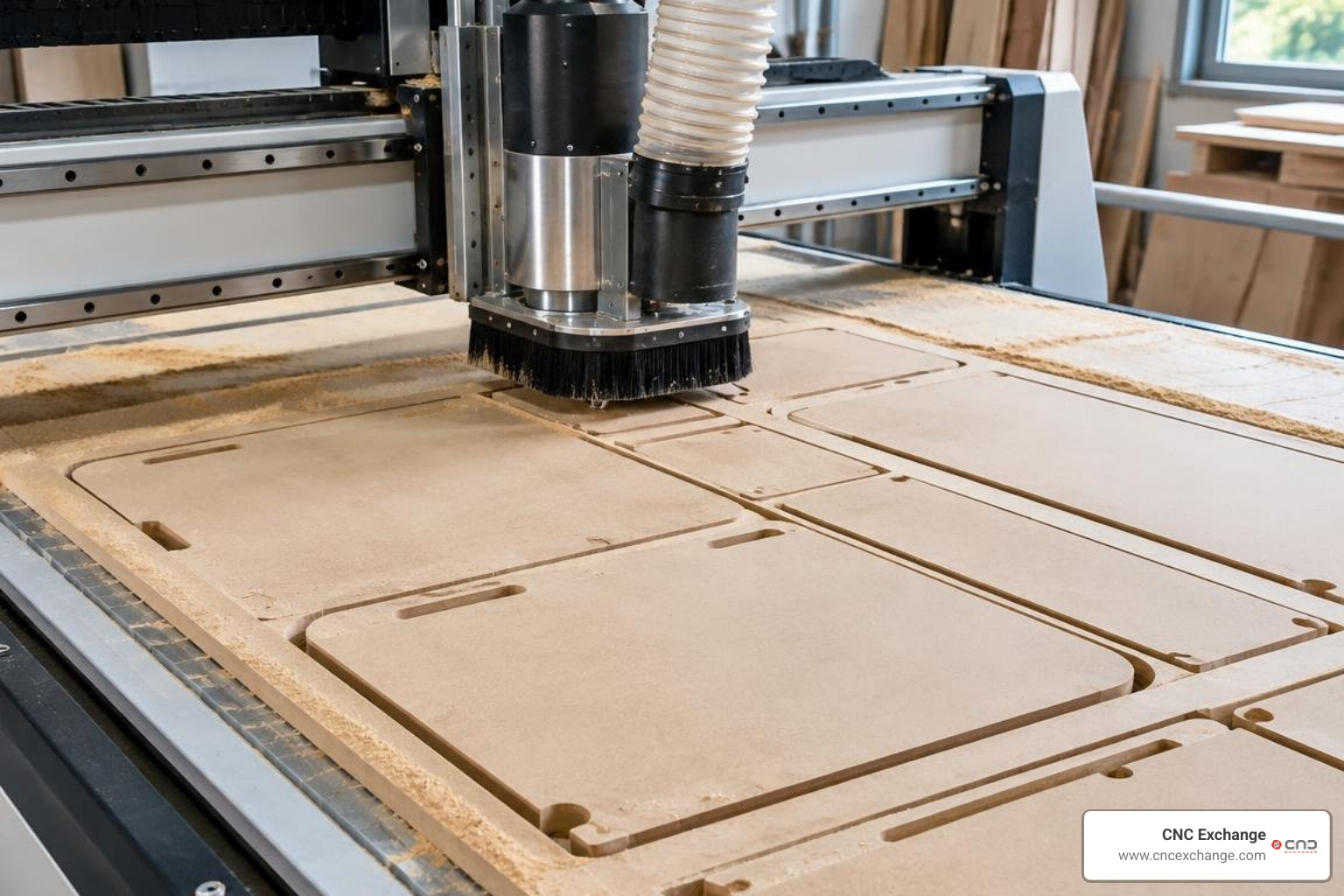
How a CNC router for wood furniture works
A CNC router uses computer-guided motion along three primary straight axes: X (left to right), Y (front to back), and Z (up and down). Your computer-aided design (CAD) drawing is translated by computer-aided manufacturing (CAM) software into G-code, which tells the machine's motor drives where to travel, how deep to plunge, and at what speed to spin the cutter.
To keep cuts accurate, workholding secures the sheet goods or solid lumber to the spoilboard. As the spinning bit slices through wood fibers, a dedicated dust extraction shroud captures fine chips and airborne particles right at the cutting surface, preventing debris from building up on the precision linear rails.
What a CNC router for wood furniture can make
With the right tooling strategies, a furniture-focused router handles a wide variety of tasks:
- Cabinet carcasses and shelving: Perfect sizing, dado grooves, shelf-pin holes, and rear rabbets in a single uninterrupted operation.
- Door and drawer components: Sizing drawer boxes, cutting dovetail or dowel connections, and routing decorative face profiles on drawer fronts.
- Solid wood joinery: Mortise-and-tenon joints, lap joints, finger joints, and precision pockets for structural frames.
- Decorative detailing: 2.5D V-carving, fluting, architectural millwork, mouldings, and ornate surface engraving.
Materials and axes: match the machine to the part
Standard 3-axis machines excel at flat sheet goods like plywood, medium-density fiberboard (MDF), particleboard, and solid hardwoods or softwoods. When your production calls for sculpted chair backs, compound miter cuts, or curved trim, 5-axis routers add rotational axes (A and B or C) to articulate the spindle around the workpiece.
| Feature / Capability | 3-Axis CNC Routers | 5-Axis CNC Routers |
|---|---|---|
| Spindle Motion | X, Y, and Z straight linear axes (tool stays vertical) | X, Y, Z plus two rotational axes (spindle tilts and swivels) |
| Best-Suited Workpieces | Flat panels, cabinet carcasses, drawer boxes, flat 2.5D relief carving | Formed chair shells, compound-angle joinery, deep 3D undercuts |
| Typical Workshop Use | Nested-based sheet processing, custom cabinetry, architectural millwork | High-end sculpted furniture, complex mouldings, compound aerospace trim |
Choosing a CNC router for wood furniture: budget vs. production-ready
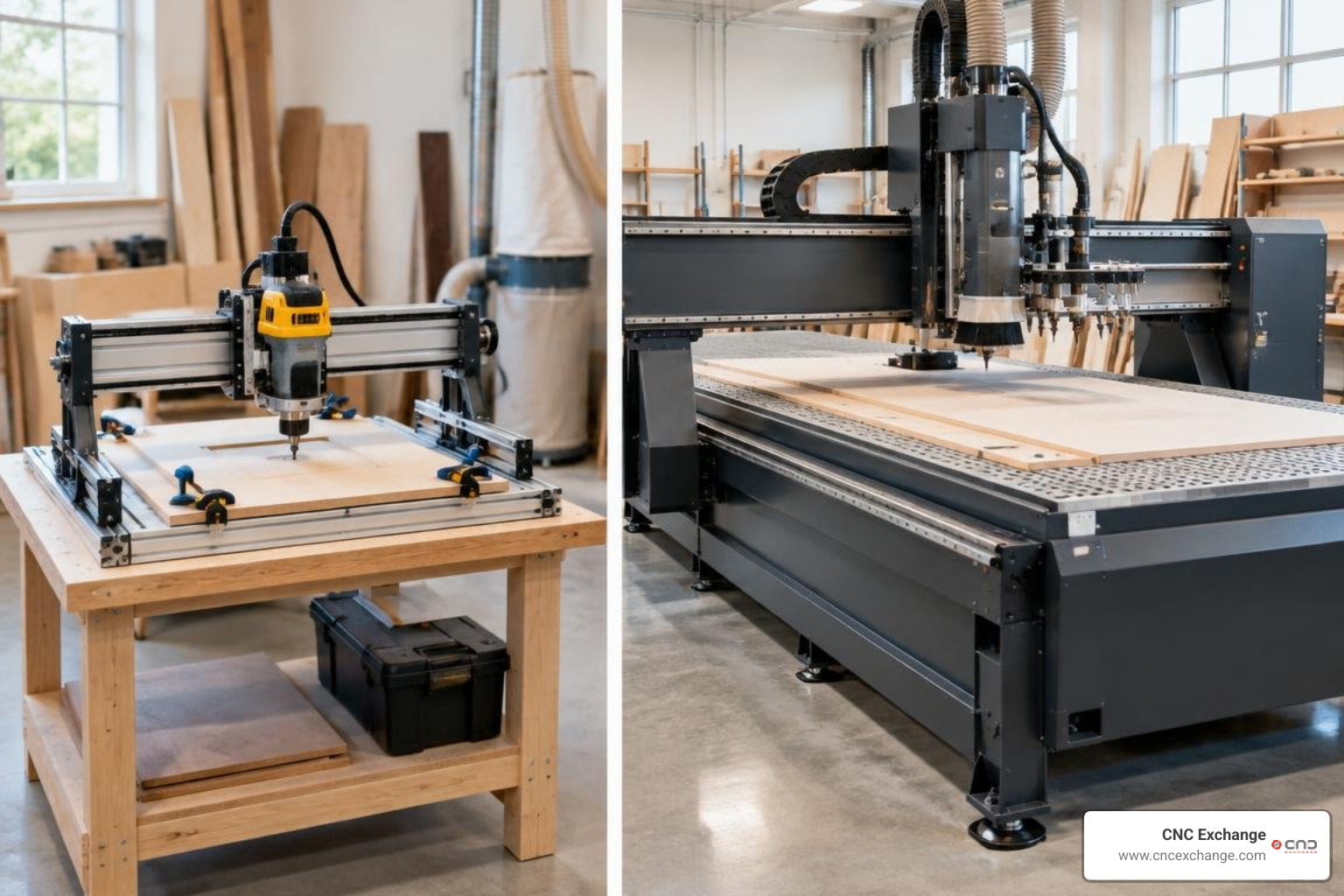
When weighing an entry-level platform against a factory-ready workhorse, look at how the machine is built and how much manual labor it requires during each cycle. An entry-level conversion kit—such as a $2,700 package adding a 2.25 HP handheld-style router motor and basic mounting brackets—can cut basic wood blanks, but requires manual bit changes and physical mechanical clamps.
By contrast, production-oriented machinery features high-output industrial spindles, automatic tool changers, and multi-zone vacuum beds. For example, exploring our woodworking CNC router listings reveals machines built with unitized steel frames designed for day-in, day-out industrial duty.
| Machine Tier | Table Size & Work Area | Spindle Power | Tool Changing | Workholding Method | Ideal Shop Workflow |
|---|---|---|---|---|---|
| Budget / Kit | 2'x4' to 4'x4' (compact) | 1.5 to 2.25 HP variable speed | Manual collet wrenches | T-tracks, mechanical clamps, screws | Low-volume prototypes, one-off hobbycraft, small signs |
| Mid-Range Workshop | 4'x8' (standard sheet) | 3 to 5 HP (air/water cooled) | Manual or 4–6 tool rack | Single-zone vacuum or mechanical hold-down | Custom cabinetry, batch furniture, sign shops |
| Industrial Production | 5'x10' up to 10'x45' | 9 kW (12+ HP) industrial | 8 to 24+ position carousel/linear ATC | Multi-zone high-flow vacuum grid | High-volume nested manufacturing, continuous shift runs |
If you are scaling up your workshop, you can find robust pre-owned industrial models through our regular CNC machine auctions.
What a serious furniture workflow needs
To produce seamless cabinetry and furniture joints that fit together without manual sanding or shimming, you need:
- Structural rigidity: Heavy-duty welded steel bases dampen cutting vibrations, eliminating chatter marks on finished edges.
- Repeatable positioning: Closed-loop servo motors with high-resolution absolute encoders prevent missed steps.
- Spindle power: Industrial 9 kW to 12+ HP spindles maintain cutting torque through dense hardwoods without bogging down.
- Multi-tool flexibility: An automatic tool changer (ATC) swaps between drills, profiling bits, and hogging end mills without operator intervention.
- Zoned vacuum holding: Multi-zone vacuum beds isolate suction to specific sections, holding small components securely without mechanical clamps.
- High-volume dust collection: A strong dust shroud and dedicated extraction keep fine MDF dust away from linear bearings.
Pick a table size that fits your parts and shop
Most furniture and cabinet shops standardise around full sheet goods. A 4'x8' machine handles standard domestic plywood, while a 5'x10' bed easily accommodates oversized commercial melamine panels and allows extra margins for edge-referencing pins.
Before committing to a machine footprint, measure your shop's clear ceiling height, forklift unloading paths, and walk-around clearances. Also account for external components such as vacuum blowers and dust collectors.
Know when 3-axis is enough—and when 5-axis earns its cost
A 3-axis machine covers over 90% of traditional furniture work, including flat nested parts, grooved drawer sides, face frames, and standard joinery.
However, if your designs focus on organic, sculpted timber frames, deep compound curves, or multi-angle mortises, a 5-axis router eliminates complex multi-step repositioning jigs. That flexibility comes with a higher purchase price and steeper CAM programming requirements, making a 3-axis router the practical choice for most flat-panel and cabinet applications.
Match the router to your furniture production workflow
Panel furniture and nested-based manufacturing
Nested-based manufacturing arranges every component of a finished cabinet—carcass sides, tops, bottoms, and shelves—onto a single sheet of material. CAM software calculates true-shape nesting to minimize scrap, while the CNC router mills all dados, drills shelf pins, and cuts outer profiles in a single pass.
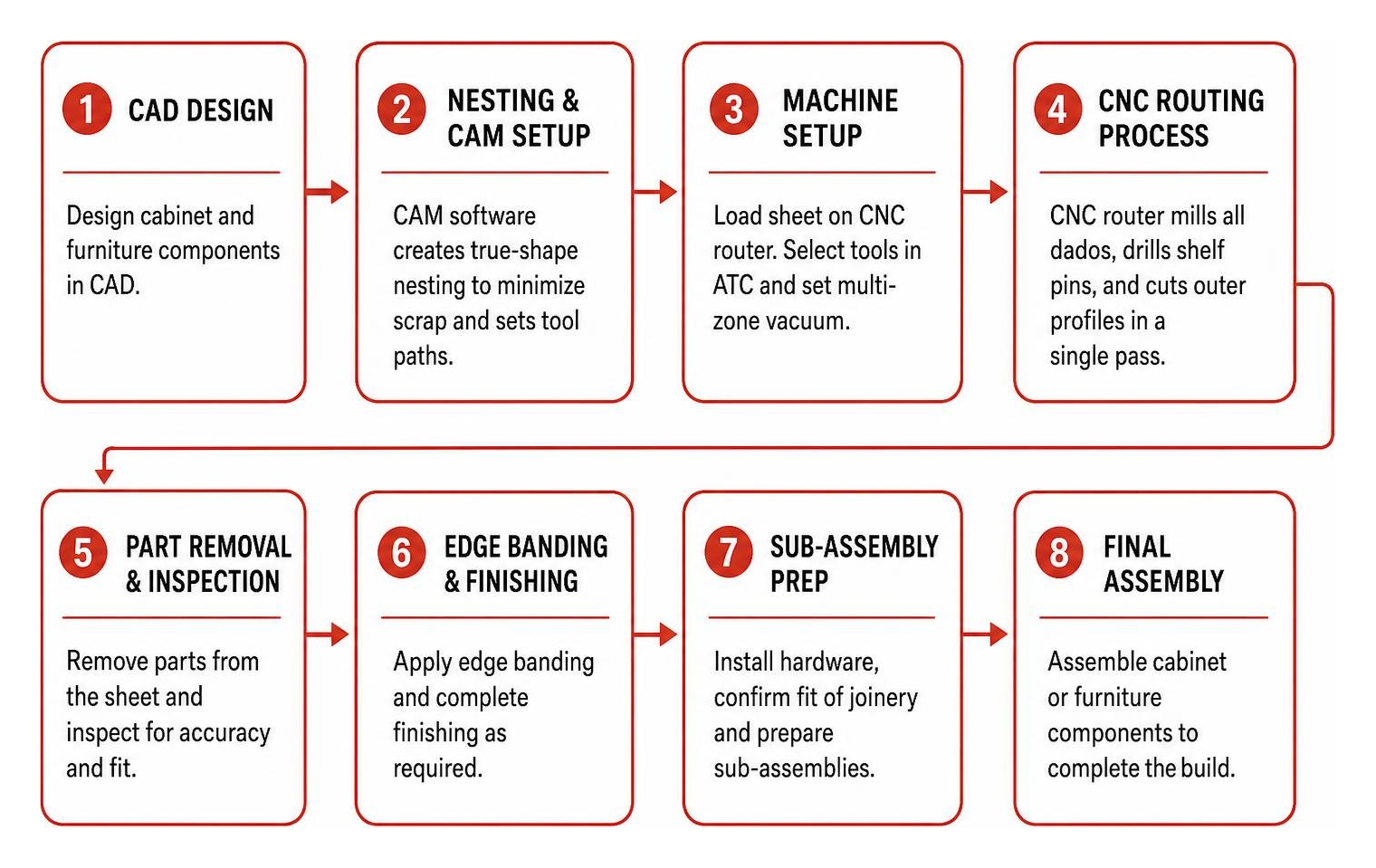
This streamlined workflow cuts raw sheet waste, reduces manual material handling between standalone table saws and drill presses, and ensures matching tolerances across every part.
Solid wood, joinery, and mixed-material work
Solid timber behaves differently than engineered sheet goods. Grain direction, internal tension, and wood species density all affect how the cutter interacts with the workpiece:
- Melamine and chipboard: Use double-sided compression spiral bits to eliminate surface chipping on top and bottom faces.
- MDF and plywood: Run straight or upcut spiral carbide bits to clear chips quickly during deep pocketing.
- Solid hardwood: Use downcut spirals or roughing end mills to maintain crisp edge profiles without tear-out.
Always run test cuts on scrap offcuts when switching species to dial in your feed rates, spindle RPM, and cut depth before launching a full production run.
Software, tooling, and operator skills
Operating a furniture router involves a clear, three-step software workflow:
- CAD design: Draw the furniture piece in 2D or 3D design software.
- CAM toolpathing: Import files (DXF, DWG, SVG, STL) into software like VCarve Pro to assign toolpaths, depth per pass, spindle speeds, and feed rates.
- Machine execution: Load the generated G-code file into the CNC controller to begin cutting.
High-end machine platforms often feature conversational interfaces or cut-ready macro libraries, allowing operators to run standard cabinet jobs directly from dimension charts without manually writing G-code.
Costs, support, maintenance, and buying checks
Budget carefully beyond the purchase price
The purchase price of the machine represents only a portion of the total startup investment. Before getting started, make sure your budget covers:
- Dedicated dust collection: High-flow collectors with rated micron filtration to handle fine MDF chips.
- Vacuum hold-down system: Industrial rotary-vane or regenerative vacuum blowers and replacement gasket cord.
- Tooling setup: Collets, tool holders (such as ISO30 or HSK63F), compression bits, V-bits, and drill heads.
- Facility electrical drops: Dedicated 3-phase or 220V single-phase power lines and clean, dry compressed air.
- CAD/CAM software: Design and true-shape nesting licenses.
To help evaluate your machinery options, run through this inspection checklist:
- Working envelope: Does the cutting area fit your standard panel sizes plus hold-down margins?
- Spindle hours & condition: Check for excessive bearing play, runout, or overheating during dry runs.
- Controller & software: Ensure the machine uses standard G-code or open-platform CAM post-processors.
- Workholding integrity: Inspect the vacuum manifold, zoning valves, and spoilboard flatness.
- Frame alignment: Check linear guide rails and ball screws or rack-and-pinion drives for backlash and wear.
Confirm training, warranty, and service coverage
Reliable support helps keep unexpected downtime from halting production. Many equipment builders provide comprehensive machine warranties—ranging from 1 to 3 years on drive electronics to limited lifetime coverage on welded steel frames—alongside on-site commissioning and operator training.
Routine shop maintenance keeps a router cutting accurately:
- Daily: Clear dust from linear rails, vacuum out tool holder tapers, and inspect the dust shroud.
- Weekly: Check pneumatic pressure filters, lubricate ball screws, and inspect spoilboard surface wear.
- Monthly: Verify gantry squareness, check vacuum pump oil, and inspect electrical cabinet cooling fans.
Frequently asked questions
Can one router machine MDF, plywood, and solid wood?
Yes. The same 3-axis router can machine all three materials. The key is using the right tooling: compression cutters prevent melamine chipping, upcut spirals clear deep MDF pockets, and downcut spirals keep solid hardwood edges clean.
Is an automatic tool changer or vacuum table worth paying for?
If you make nested cabinetry or multi-operation furniture parts, yes. A vacuum bed eliminates manual clamping, and an ATC swaps between drilling, roughing, and profiling tools automatically, saving labor on every sheet.
How often does a furniture CNC router need maintenance?
Clear dust and inspect tool tapers daily. Lubricate linear rails and check belt tension or rack backlash weekly, and perform full mechanical and vacuum pump inspections every month.
Conclusion
Choosing the right CNC router for your furniture production comes down to matching the machine's build, spindle capability, and workholding to the materials and volumes you cut every day. While a compact or kit router can handle basic hobby tasks, a rigid frame, zoned vacuum bed, and automatic tool changer provide the speed and precision needed for steady furniture manufacturing.
If you are ready to expand your workshop's capabilities, browse CNC router types to find the right equipment for your production goals.